I have a large Steam library and two kids who want to play games. Steam's parental controls have one job: help me share my library safely with them and they fail spectacularly at it.
The Problem with Steam's Parental Controls
On Saturday, my eldest son asked me a question...
Why is it my brother had access to more games from the Steam family library than I do?
A valid question. It turns out the answer was simply that when I set up his profile in Steam, I had slightly more time to set up his account and spent a few moments longer selecting games from my vast library that I deemed suitable.
You see, Steam only gives you two options for sharing a library with a child profile:
- Allow access to every game in your library.
- Manually approve games one at a time.
If your library has 50 games, option two is annoying. If your library has 500+ games, it's completely unworkable.
The UI assumes you know every game in your library intimately - not that it's ballooned to hundreds of titles after years of Humble Bundle purchases you barely remember making. You could easily lose a week trying to navigate to the store page for each game, find an age rating, and fight your way back into the parental controls UI to allow it.
The most frustrating part is that the information already exists somewhere. Every game in my library either has a rating - PEGI, ESRB, BBFC, USK - or can be looked up. Some of it is in the Steam store even! But Steam just doesn't use it.
The Idea
I had to solve the problem fast... and I'm an engineer goddammit, so I'll engineer my way out of the problem.
If ratings exist, why not filter automatically?
The approach is simple:
- Fetch the full Steam library using the Steam API
- Enrich each game with an age rating from Steam, or from MobyGames
- Allow manually overriding, or adding ratings for games that don't have a rating
- Define child profiles with an age threshold
- Push a filtered collection back to Steam
- Select all games in the collection and permit them for a given child
A game rated PEGI 7 is fine for a 7-year-old. A game rated PEGI 18 is not. The computer should be doing as much work here as possible, not me.
AI-Assisted Development
This tool was built with significant AI assistance, but I want to be precise about what that means - because "vibe-coding" gets thrown around loosely and this wasn't that.
Phase 1: Rubber Ducking, Researching and planning with Claude
I asked Claude to summarize our conversation:
Dave came in with a real problem: hundreds of Steam games, a parental controls system that doesn't speak PEGI, and two kids to manage. My first job was to check whether anything already existed that solved this - it didn't. We hit a wall fairly quickly when it became clear that Steam's parental controls API doesn't expose the granular controls needed, so rather than bang against that, we pivoted to a more tractable angle: Steam's collection JSON file, which is plain and writable. From there the problem decomposed cleanly into four stages - fetch the library, enrich with PEGI ratings, filter by child, write to Steam - and I pushed back on a few assumptions along the way, particularly around PEGI coverage gaps in both the Steam and MobyGames APIs, and the risk of Steam overwriting local edits on sync. When Dave suggested a TUI, we worked through it screen by screen: what lives where, how keyboard navigation should feel, where ambiguous MobyGames matches should be handled, how editing a child's age rating should cascade immediately into a library resync. By the end we had a Markdown prompt detailed enough to hand straight to Claude Code - data structures, API behaviour, config file layout, error handling, and acceptance criteria all pinned down before a single line of code was written.
The summary is mostly accurate, but what I'd like to stress here is that I never asked Claude to solve the problem for me.
- I asked for research into the problem area. Are others seeing this issue? Has anyone tried to solve it?
- I asked about the specifics of the Steam API. Can I list games? Is the Parental Controls API exposed? If not, is a Collections API exposed.
- I outlined the 4 phases of the problem, and asked Claude
I would like you to distill that into a prompt I can give to Claude Code. Grill me for more details if required, especially around testing and acceptance criteria - With more back-and-forth around the UI we ended up with a reasonable specification
This whole process took around 10 minutes.
If you're interested, the plan that was created is here.
Phase 2: Hand-off to Claude Code
Markdown in hand, I entered into the terminal, created a new directory, initialized a git repository and fired up Claude Code. I gave it the plan, asked it to implement it, then walked away.
Total time invested so far: 12 minutes.
At this point I was able to walk away and enjoy the lack of rain - a chance occurence in the UK. When I was back at my laptop late that day I could see that my plan was executed in around 10 minutes - most impressive. Moreover, I was assured that my plan was implemented to the letter and everything was working as designed.
Phase 3: Human Quality Assurance
I set up my config.toml, fired up the TUI, hit F1 in anticpation of seeing my Steam library fetched before my eyes.
It crashed: AttributeError: 'LibraryScreen' object has no attribute 'call_from_thread'.
A few bugs later, I noticed that ratings lookups where failing silently as it was attempting to process all my games. The code was hitting the wrong MobyGames API URL entirely, and even after fixing the URL, the field containing actual ratings wasn't being included in the request - should have read the manual. It also turned out ratings in MobyGames are stored per-platform, so you can get different PEGI values for PC vs console. The solution was to take the mode across all platforms - reasonable, but not something the spec had anticipated. Steam game titles also don't match MobyGames titles reliably, so search was silently returning no results until the input was sanitised.
The Steam collection sync didn't work either.
The code wrote a clean dictionary to Steam's collection file.
What Steam actually expects is a list of [key, entry] pairs - a specific quirk of how Valve serialises their data.
This was another silent failure. Flatpak Steam also wasn't detected; the code only checked the native ~/.local/share/Steam/ path.
There were TUI bugs too: the cursor jumped back to row 1 after any screen redraw, columns didn't reflow so content was truncated at the edge, the Enter key was swallowed by the DataTable widget before the app could handle it, and Enter on match-selection modals didn't work either.
It was silent failure after silent failure that frustrated me the most.
In total, across a couple of hours and a dozen or so rounds of "find bug, describe bug, apply fix, test again", the tool got to a point where it worked reliably. I pushed over 200 games to my son's profile. Success!
Total time invested so far: 2 hours, 12 minutes.
Phase 4: Ship It!
I had Claude write unit tests, move from pip to uv, add Github Actions. I instructed it to make an mkdocs site, add a "demo" mode, and capture screenshots for use in the docs.
Total time invested: 3 hours, 30 minutes.
The Finished Product
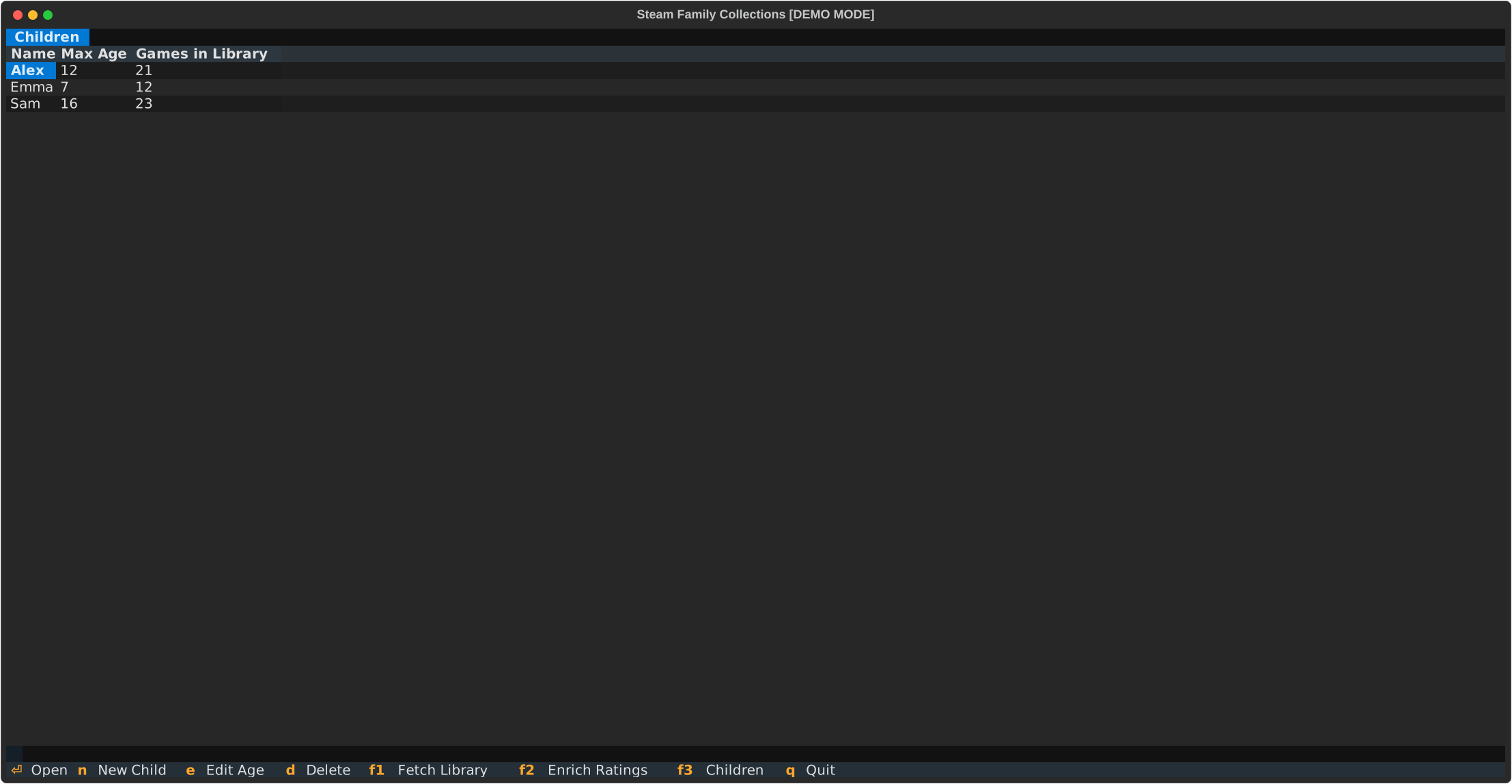
F1 fetches your library, F2 enriches games with age ratings from MobyGames, F3 manages child profiles and syncs filtered collections to Steam.
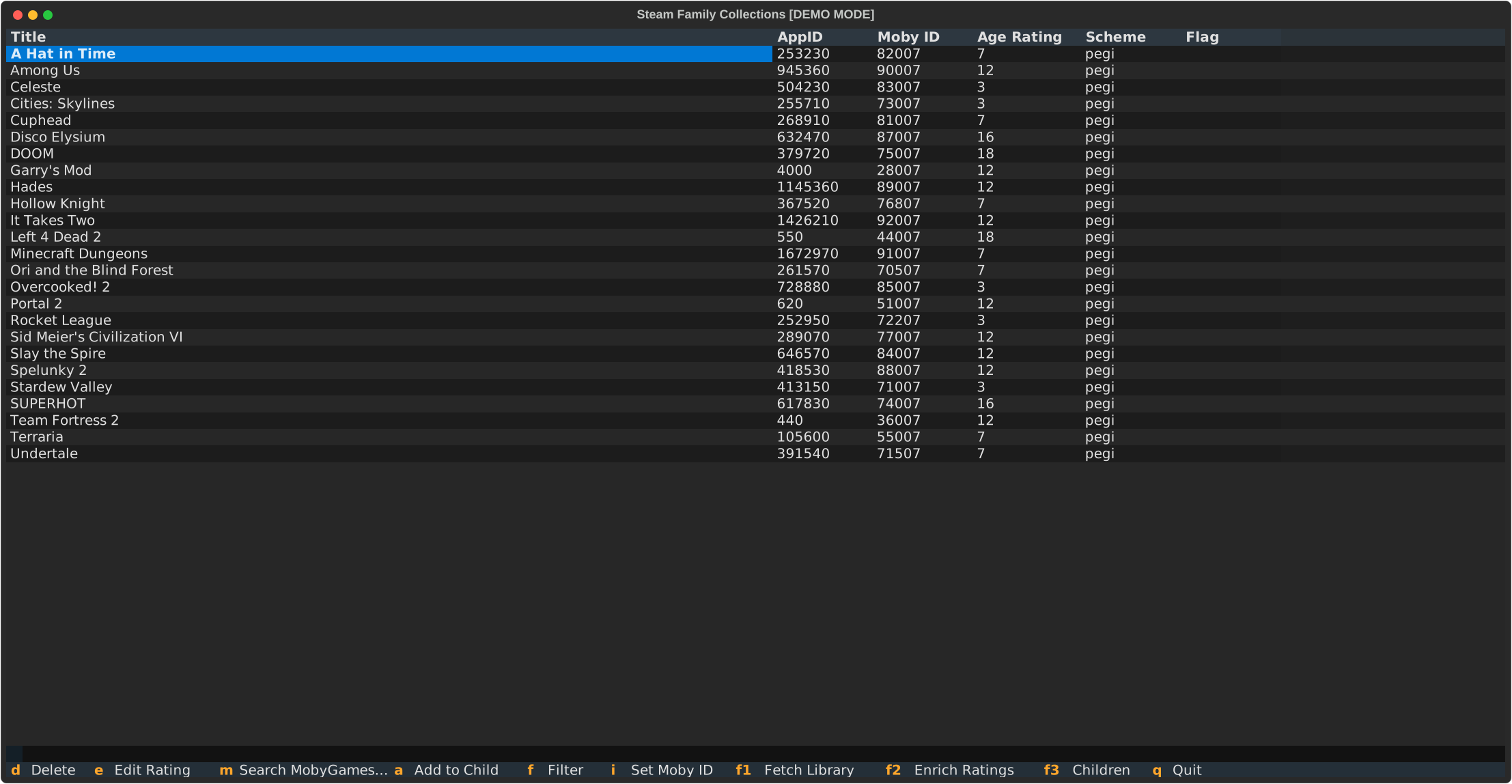
Games the auto-matcher couldn't confidently rate are surfaced in a separate view - you can search MobyGames interactively, set a rating manually, or skip a game entirely.

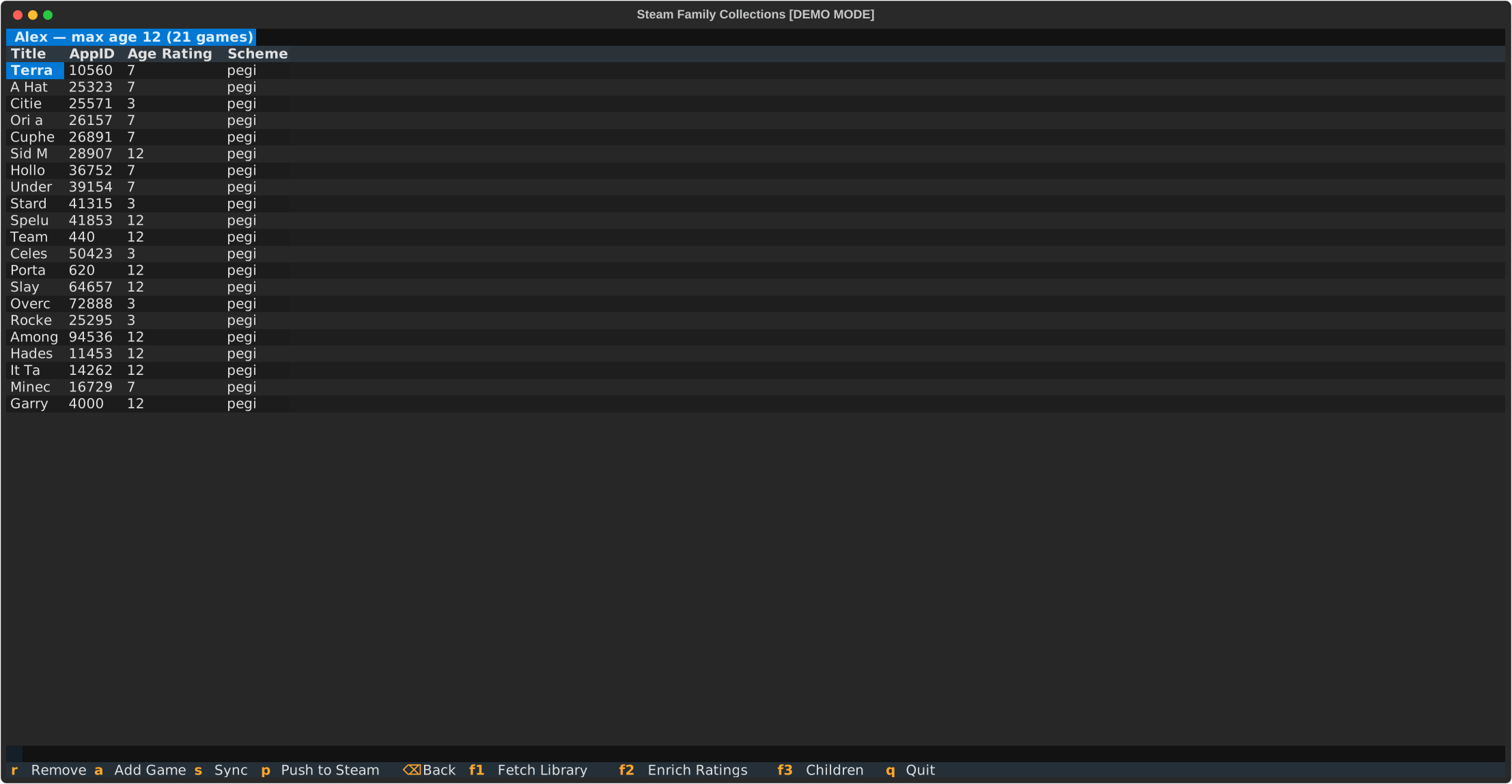
Each child gets a profile with a maximum age threshold. The app filters the rated library, lets you review the result, and pushes it to Steam's cloud storage with a backup created beforehand.
Changing the world in 3hrs 30mins
AI was clearly an accelerator for this little project.
I work in Go and Rust day-to-day and haven't touched Python properly in over a decade. A Python TUI app consuming two external APIs would have been a multi-week project - instead it took hours. The tedious parts got compressed but the thinking parts didn't.
That's the honest version of AI-assisted development: it removes friction but not judgment.
What I learned from the amount of rework in Phase 3 was that my plan wasn't detailed enough.
I should have:
- Been explicit about the scaffolding I was expecting (uv, ruff, CI etc...)
- Included instructions to follow test-driven development rather than adding tests after the fact
- Asked for "demo mode" and screenshots as part of the acceptance criteria
- Provided mock responses from the Steam and MobyGames APIs - this would have improved accuracy and could have been used for integration tests
I've since been reading about structured planning skills for coding agents that help with exactly this kind of spec work. I intend to try them on the next project and see whether tighter upfront structure reduces the QA cycle.
The code is at github.com/dave-tucker/steam-family-collections, with full installation and usage instructions in the docs. If you have a large Steam library and kids, give it a try.